






What Are Rounded Shoulders?
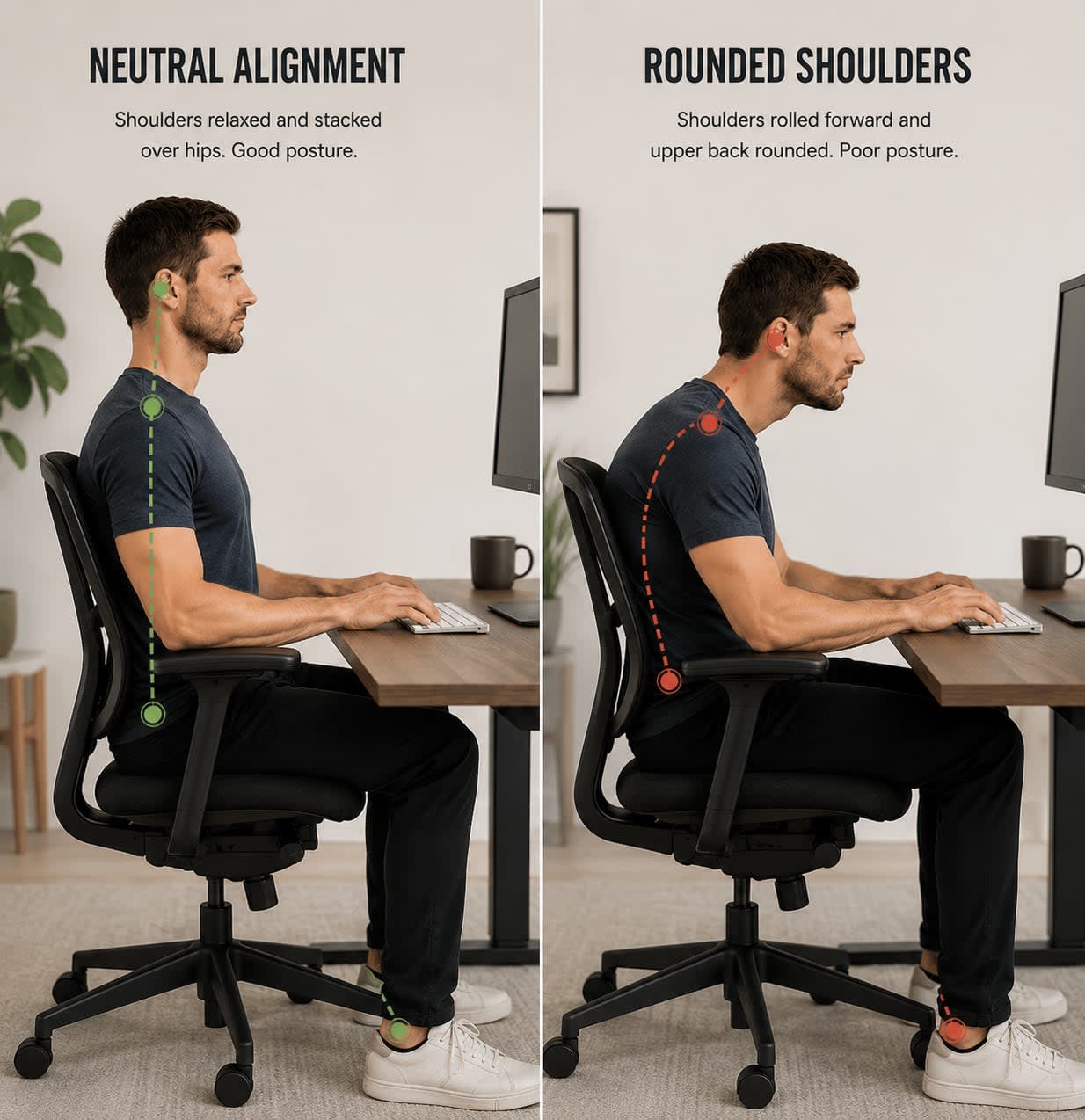
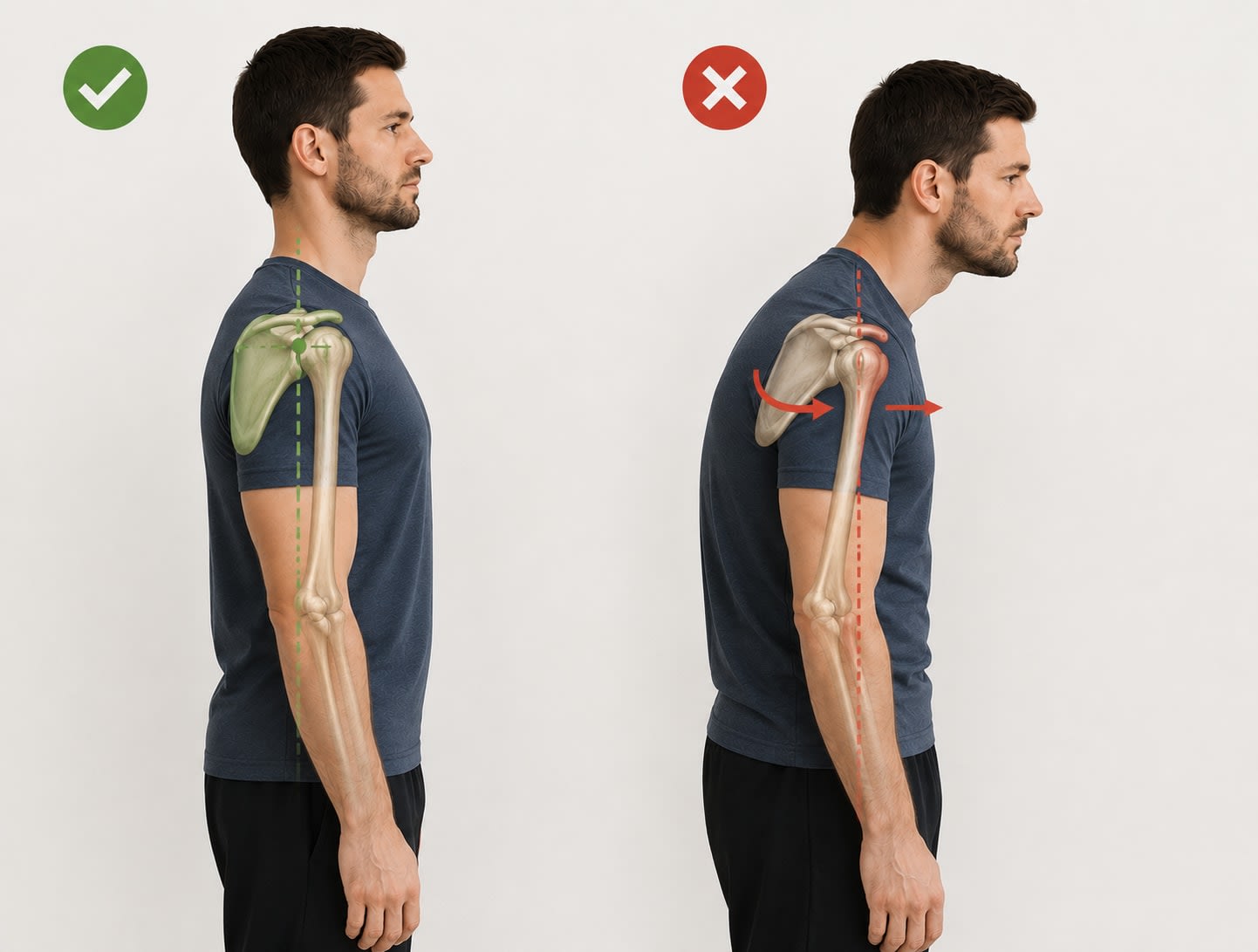
Rounded shoulders describe a postural position in which the shoulders drift forward from their neutral alignment, rolling inward toward the chest rather than sitting back and in line with the ears and hips. In a neutral posture, the shoulder joints sit roughly stacked over the hip joints when viewed from the side. With rounded shoulders, they shift noticeably forward of that line.
This shift isn't just about appearance. It reflects a change in how the muscles, joints, and connective tissue around the shoulder girdle are functioning, and those changes can have a ripple effect on the neck, upper back, and even the lower back.
Rounded shoulders often go hand-in-hand with forward head posture (where the chin juts forward of the shoulders), and both tend to be driven by the same underlying habits.
Why Desk Work Contributes to Rounded Shoulders
The human body is remarkably adaptable, which is both a strength and a vulnerability. When you hold a position consistently over time, your body begins to adapt to it. Muscles that are held in a shortened position can become tight, while muscles that are chronically lengthened become underused and weak. Over enough time, what started as a posture becomes a pattern.
Here's what typically happens during a long day at a desk:
- You reach toward the keyboard and mouse. Even a slight forward reach puts your shoulders into a protracted position, meaning the shoulder blades spread apart and the arms roll inward.
- Your chair back with lumbar support doesn't support the upper back. When the body fatigues, it searches for the upper back, the pelvis collapses, and the shoulders roll forward.
- Your screen pulls your head and neck forward. As the head moves forward, the upper back rounds to compensate, and the shoulders follow.
- You sit for hours without interruption. Whatever position you hold for a sustained period, your soft tissue begins to accommodate. Tight pec minor and pec major muscles pull the shoulders forward, while the mid-back muscles (rhomboids, middle and lower trapezius) become overstretched and inhibited.
This combination is sometimes described as "upper crossed syndrome", a pattern where the chest and neck flexors become overactive, while the deep neck flexors and mid-back stabilizers become underactive.
How Rounded Shoulders Affect the Body
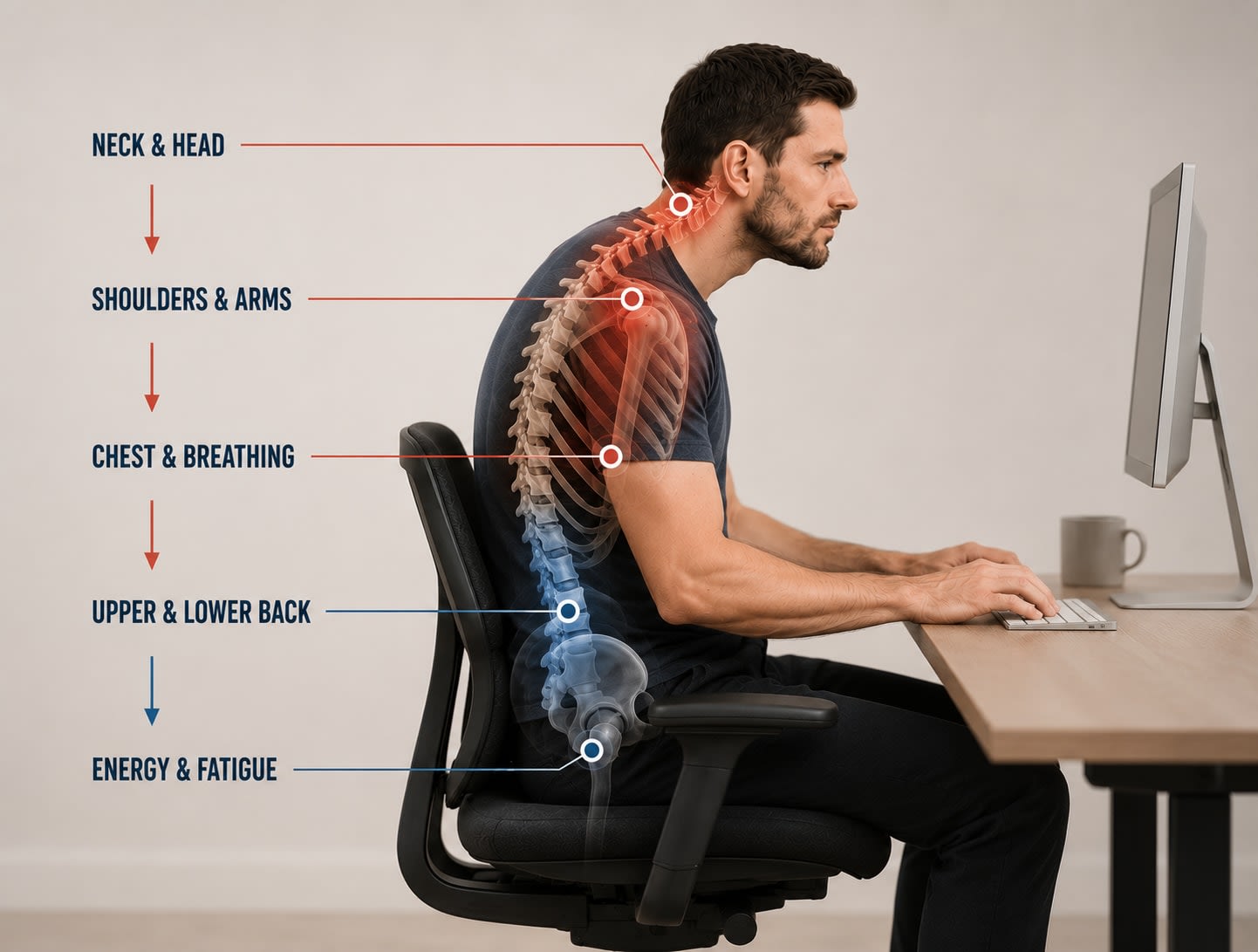
The effects of rounded shoulders extend well beyond the upper back and shoulder area.
- Neck and head: When the shoulders roll forward, the head tends to follow, increasing the load placed on the cervical spine. Research has shown that for every inch the head moves forward of its neutral position, the effective weight on the neck roughly doubles. This can contribute to tension in the upper trapezius and neck muscles.
- Shoulders and arms: Internal rotation of the shoulder joint can reduce the space in the subacromial area, the narrow channel where tendons and structures pass between the shoulder bones. Over time, this may contribute to discomfort or impingement-like symptoms, particularly with overhead reaching.
- Chest and breathing: Rounded shoulders compress the chest cavity, which can affect how deeply and efficiently you breathe. Some people find that correcting their posture alone creates a noticeable difference in how easy it feels to take a full breath.
- Upper and lower back: The spine functions as a chain, when the upper back rounds into kyphosis, the lower back may over-arch in compensation, or alternatively, flatten out. Either pattern places uneven load on the spinal structures over time.
- Energy and fatigue: Holding a postural imbalance, especially one maintained through sustained muscular effort, is metabolically costly. Many people report feeling more fatigued after a day of sitting than after physically active work. Poor posture contributes to that.
Signs You May Be Developing Rounded Shoulders
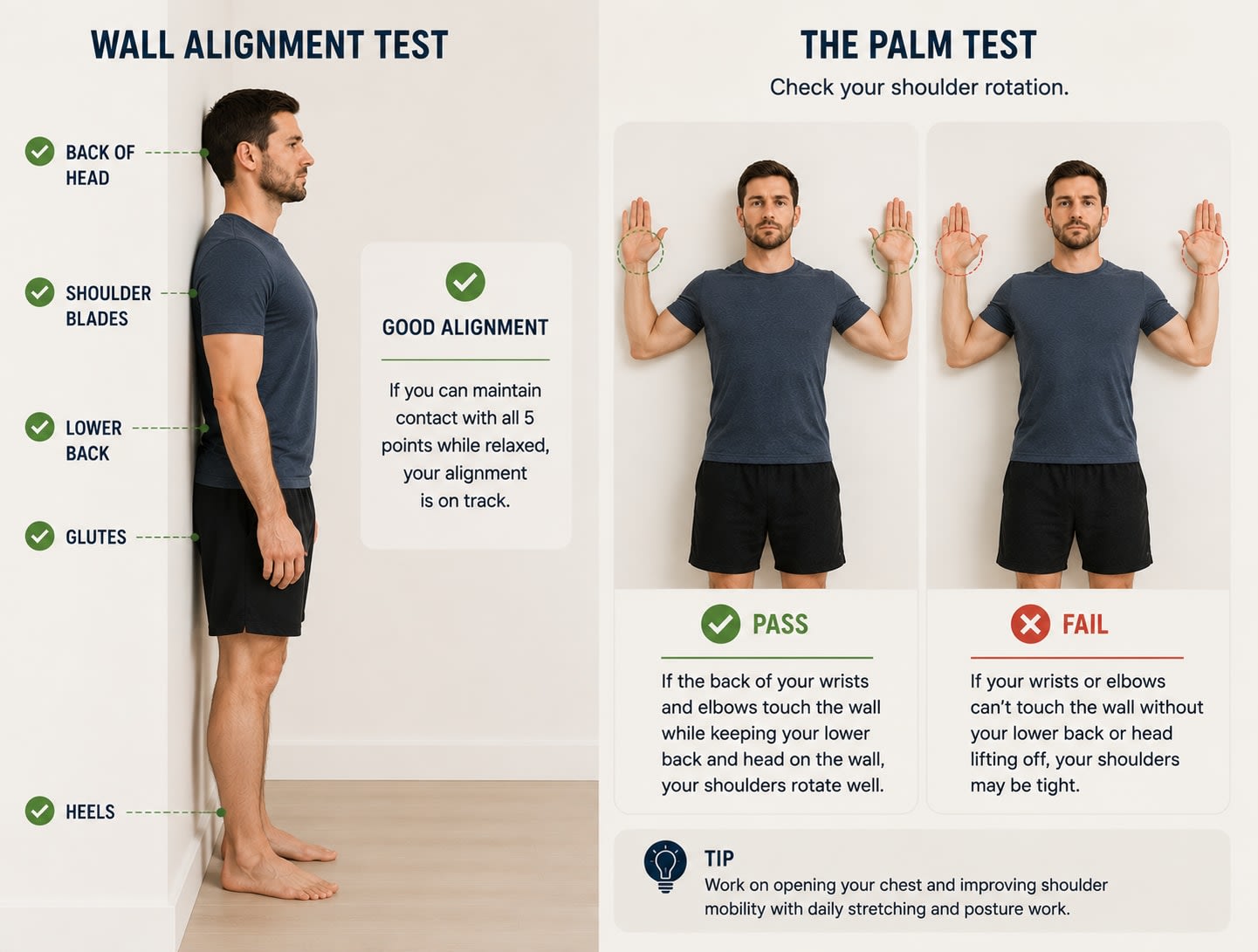
- Your natural resting position has your palms facing backward rather than inward toward your thighs when standing
- When lying flat on the floor, your shoulders don't comfortably rest against the ground
- You notice tension or tightness across the upper back, particularly between the shoulder blades
- Your neck and shoulders feel fatigued or stiff by mid-afternoon
- You frequently find yourself consciously "pulling your shoulders back"
- Your chest feels tight or restricted
Note: These are general informational indicators, not diagnostic criteria. If you have concerns about pain or physical changes, consult a healthcare professional.
Things That May Help
While this article isn't intended as medical advice, research and movement professionals generally point to a few key areas when addressing rounded shoulders:
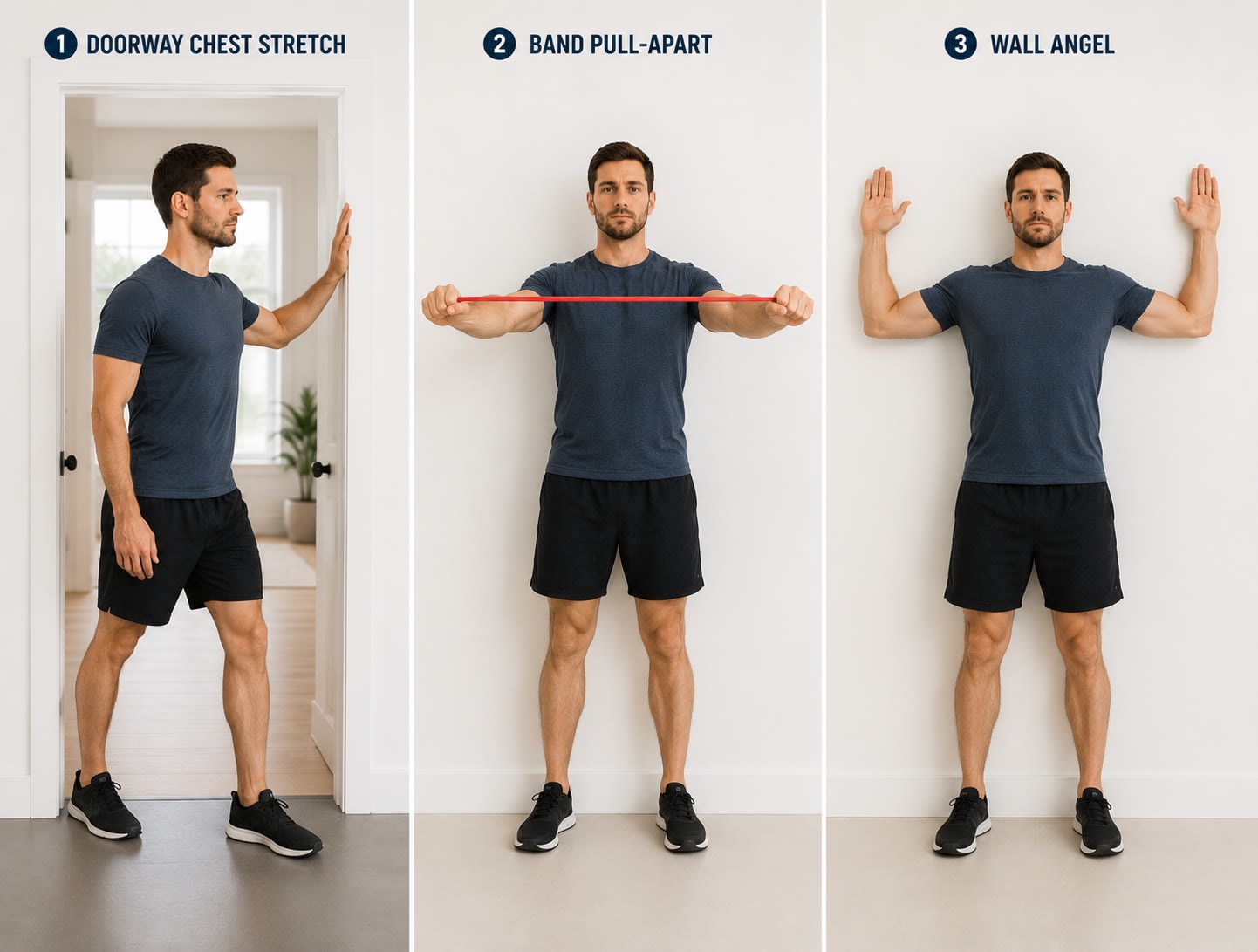
- Strengthening the posterior chain. Exercises that activate the mid-back muscles, rows, face pulls, band pull-aparts, and scapular retraction work, can help counteract the forward pull.
- Stretching the anterior muscles. Opening the chest and lengthening the pec minor and pec major can help release the muscles that are pulling the shoulders forward. Doorway stretches and chest openers are commonly recommended.
- Movement breaks. No amount of good posture fully compensates for sitting in any one position for hours on end. Regular breaks, even brief ones, allow the postural muscles to reset and prevent the accumulation of soft tissue tightness.
- Ergonomic setup. Monitor height, keyboard position, and seating all play a meaningful role in whether your environment is working with your posture or against it. More on this below.
- Working with a professional. A physical therapist, chiropractor, or certified corrective exercise specialist can assess your specific pattern and build a program tailored to your needs.
The 5° Backward Tilt: Working With Gravity, Not Against It
When most people think about upright posture, they imagine actively holding themselves up, engaging their core, squaring their shoulders, fighting the natural pull of gravity. The reality is that sustained muscular effort is exhausting, and it's often what causes posture to collapse partway through the day.
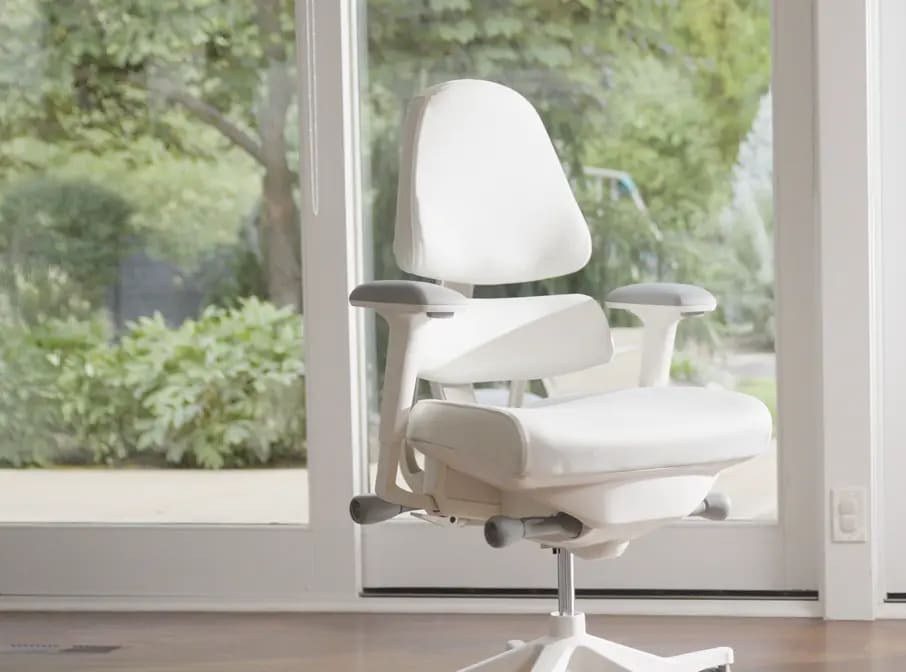
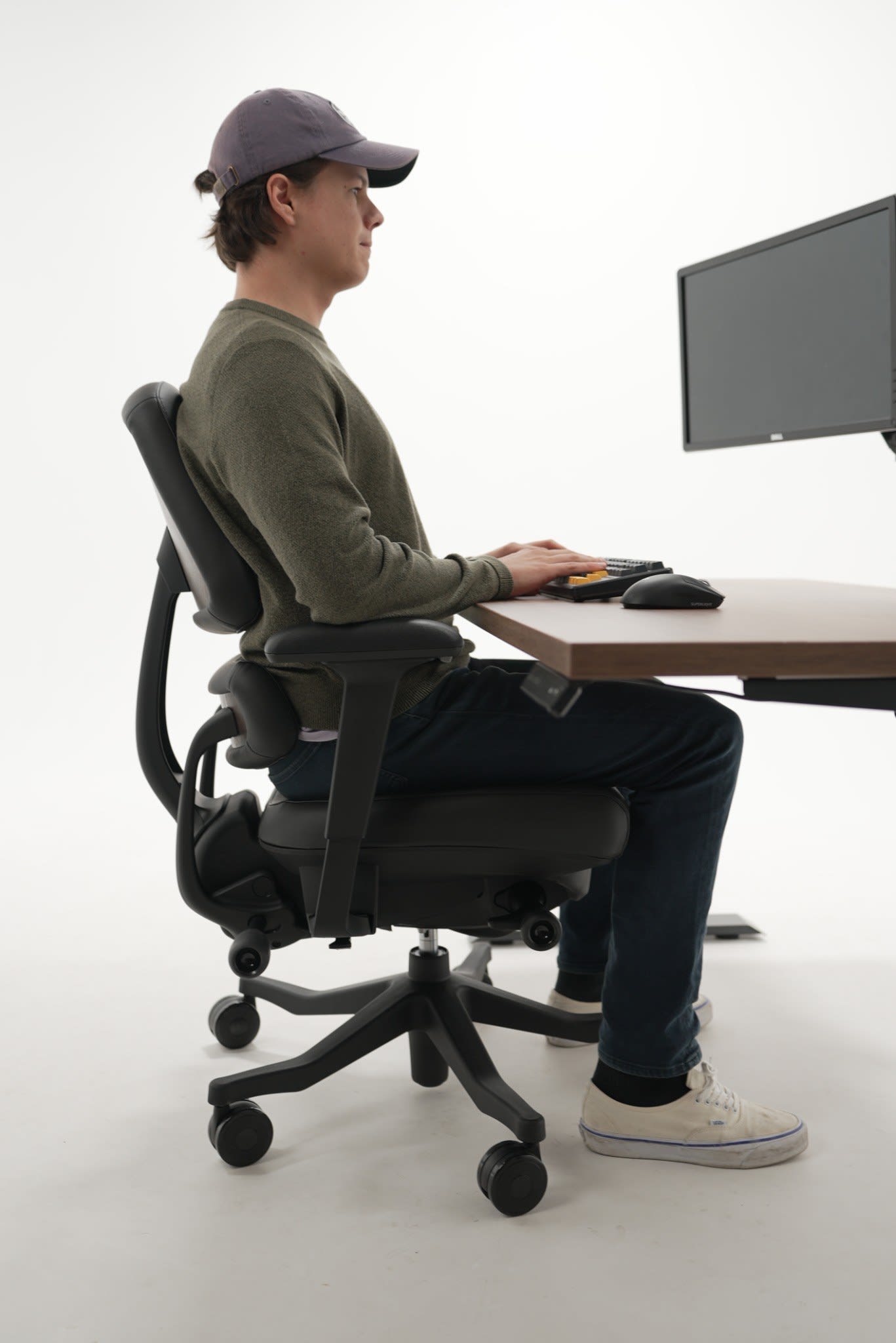
The Anthros chair addresses this with a 5° backward tilt, meaning the seat and backrest move together as a unit, tilting the entire sitting position slightly back. This shift moves your center of gravity backward, so the body settles naturally into the chair rather than bearing the full downward pressure of gravity in an upright position.
That downward gravitational pressure is one of the primary reasons posture collapses at a desk. When you sit upright without support, gravity works against you continuously, compressing the spine, fatiguing the postural muscles, and gradually pulling the upper body forward into that familiar rounded position. The 5° backward tilt takes that pressure off the equation. Because the seat and back move together, your posture is not compromised, the chair holds the aligned position without requiring constant muscular effort to maintain it.
The effect is a sitting position that feels relaxed and sustainable, with:
- Shoulders naturally rolled back and open
- Chest open for fuller, easier breathing
- Postural muscles able to relax rather than fight fatigue
- Alignment maintained through the full workday, not just the first hour
Together, the Precision Posture System and the 5° backward tilt function as a complete solution, the back support establishes the alignment, and the tilt removes the gravitational load that would otherwise undo it.
Why Desk Height Matters More Than Most People Realize
Even with the best chair in the world, your workstation can undermine your posture if one critical variable is overlooked: desk height.
Most standard desks sit at around 30 inches tall, a height that was designed for the average population decades ago and has little to do with individual ergonomics. For many people, a 30-inch desk is simply too high, and that extra height creates a chain of postural problems that starts at the arms and works its way directly into the shoulders.
When your desk is too high, you have to raise your arms to reach the keyboard and mouse. That elevation shrugs the shoulders upward and forward, rotating them into exactly the position we've been discussing: protracted, internally rotated, and pulled away from their neutral alignment.
Finding Your Optimal Desk Height
The right desk height is simpler to determine than most people expect: it should be the height of your forearms when your elbows are resting at 90 degrees at your sides. In this position, your forearms are parallel to the floor, your wrists are neutral, and your arms don't need to reach up or drop down to access the keyboard.
Once your desk is at the correct height, the next step is how you position yourself at it. Sitting close to the desk, and bringing the keyboard and mouse toward you rather than reaching out for them, makes a significant difference. When the keyboard and mouse are within easy reach, your elbows can stay near your body, your forearms stay parallel to the floor, and your shoulders have no reason to roll forward. The closer and lower your work surface, the more naturally your shoulders stay back and your chest stays open.
When desk height and proximity are dialed in correctly, you'll likely notice:
- Shoulders staying back without effort
- Less tension across the upper traps and neck by end of day
- A more relaxed overall sitting position
- The Anthros chair's posture support working the way it's designed to
If your current desk isn't adjustable, a keyboard tray that mounts below the desk surface is a practical way to bring your working height down to where it should be. Height-adjustable desks offer the most flexibility, allowing you to dial in the exact position for your body.
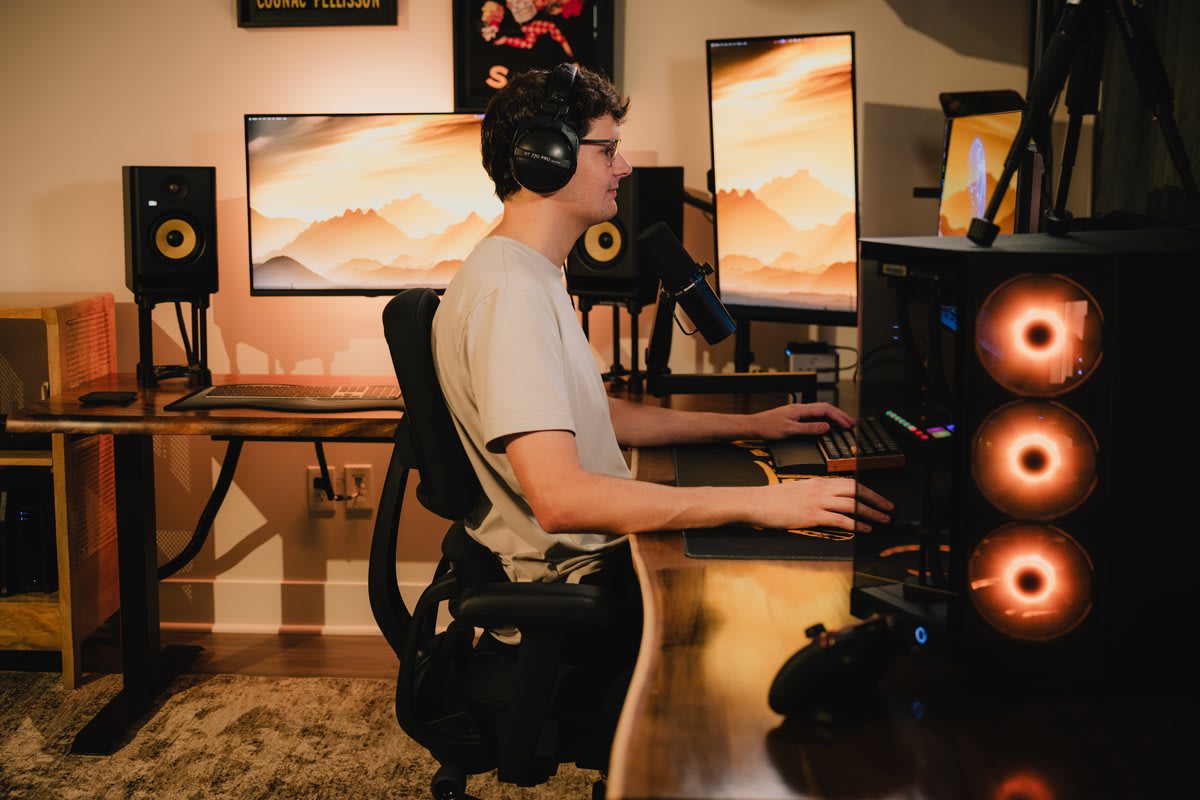
Completing the Setup: Monitor and Seat Height
With desk height addressed, the remaining setup variables fall into place more easily:
- Monitor height: Your eyeline should be 2-3" below the top of your monitor, so your head isn't tilting down (which pulls the shoulders forward) or craning upward. A monitor arm gives you the most control over this.
- Monitor distance: Approximately arm's length away reduces the tendency to lean in toward the screen.
- Seat height: Set so that your feet rest flat on the floor or a footrest, with your hips at approximately 90 degrees. This works in concert with your desk height, adjust one when you change the other.
When the chair, desk height, and monitor position are all aligned, each element reinforces the others. The Anthros chair sets the body in optimal posture; the desk height keeps the arms and shoulders in that position; the monitor keeps the head and neck neutral. The whole setup works together, and the body can simply get on with the work.
The Takeaway
Rounded shoulders from desk work aren't inevitable, they're a predictable response to an environment that most of our bodies weren't designed for. Understanding the mechanics helps you make more intentional choices: how you move, how you stretch, and yes, what you sit in.
No single change will undo years of postural adaptation overnight. But small, consistent improvements to your environment and habits, including what your chair is doing for your spine while you work, add up over time.
Disclaimer: This article is intended for educational purposes only. The information provided does not constitute medical advice and should not be used as a substitute for consultation with a qualified healthcare professional. If you are experiencing pain, discomfort, or other symptoms, please consult a qualified healthcare professional.